Read it three times and still blank on the test? Notiee turns it into flashcards, a test and a plan.
Upload a lecture, handouts or your Quizlet cards. Notiee turns them into notes, flashcards and a test. Studying without AI is free.

150 : 22
words per minute: how fast a lecturer talks, and how fast you can write by hand.
Notiee records and transcribes the lecture. You listen.
40% : 61%
of a text you remember a week later if you reread it — versus if you test yourself on it.
Notiee turns your handouts into flashcards and a test to practise with.
70%
of Czech university students work during term — one of the highest shares in Europe. Studying happens in breaks and on the bus.
Notiee tells you what to review each day, right on your phone.
Sources: Wong (2014), lecture and writing speed; Roediger & Karpicke (2006), Psychological Science; EUROSTUDENT VIII (2022), Czechia.
Situations you know. And what to do about them.
From a pile of handouts to knowing you know it

“30 days to the exam and I don’t know where to start.”
A plan for every day until the exam
Enter the exam date and your material. You get short daily lessons, and the plan adapts when you skip a day.
Start your study path
“I can’t tell if I actually know it.”
Practice tests that are never the same twice
Upload past exams. Every attempt brings new questions on the same topics.
Try a practice test
“I read it three times and still blank on the test.”
Stop rereading. Start recalling.
A week later you remember 40% of what you reread, and 61% of what you tested yourself on. Notiee makes the flashcards in seconds.
Generate flashcardsThis is what reviewing looks like
Flip the card and rate how it went. Notiee decides when to show it to you again.
A demo. Real intervals adapt to you.
Your stuff is somewhere else? Bring it over.
Flashcards from Quizlet or Anki, handouts in Word, slides as a PDF, photos of the whiteboard. Notiee asks what you want to do with it.
- 1
Upload a file
CSV or text export from Quizlet and Anki, Word, PDF or photos. Or just paste text.
- 2
Choose what you’ll do with it
Practise it as flashcards, read and edit it as a note, or write over the pages on a canvas.
- 3
Start learning
It lands in your course, ready to go. Into a new set or note, or one you already have.
Converting is free. AI notes, summaries and filled-in definitions cost one credit.
Import your first fileNotes that write, draw and explain with you
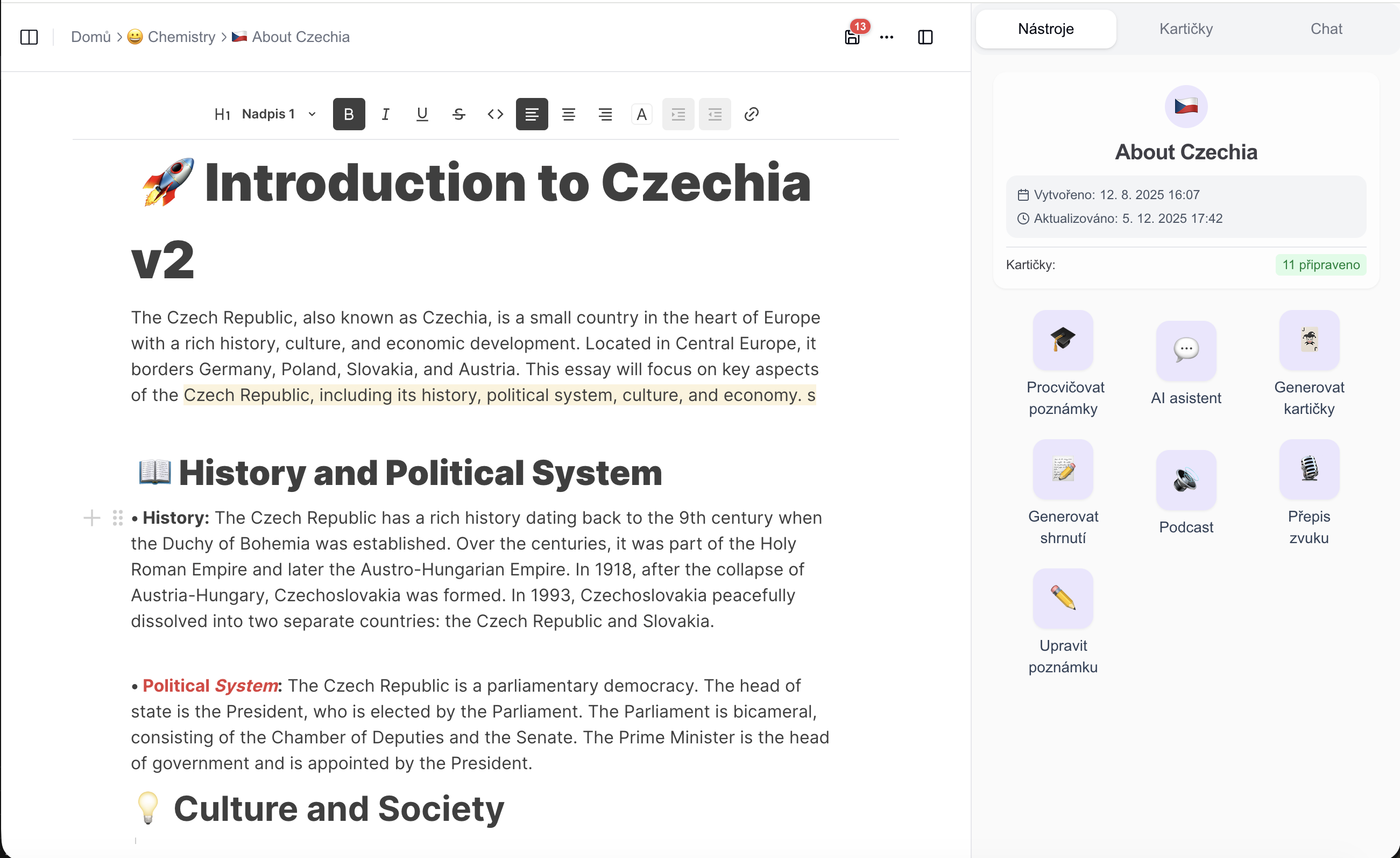
Rich editor
A Notion-style editor built for studying
Block editing, slash commands, tables, math, images and files. Structure a whole subject the way you think about it — then have it read aloud, word by word.
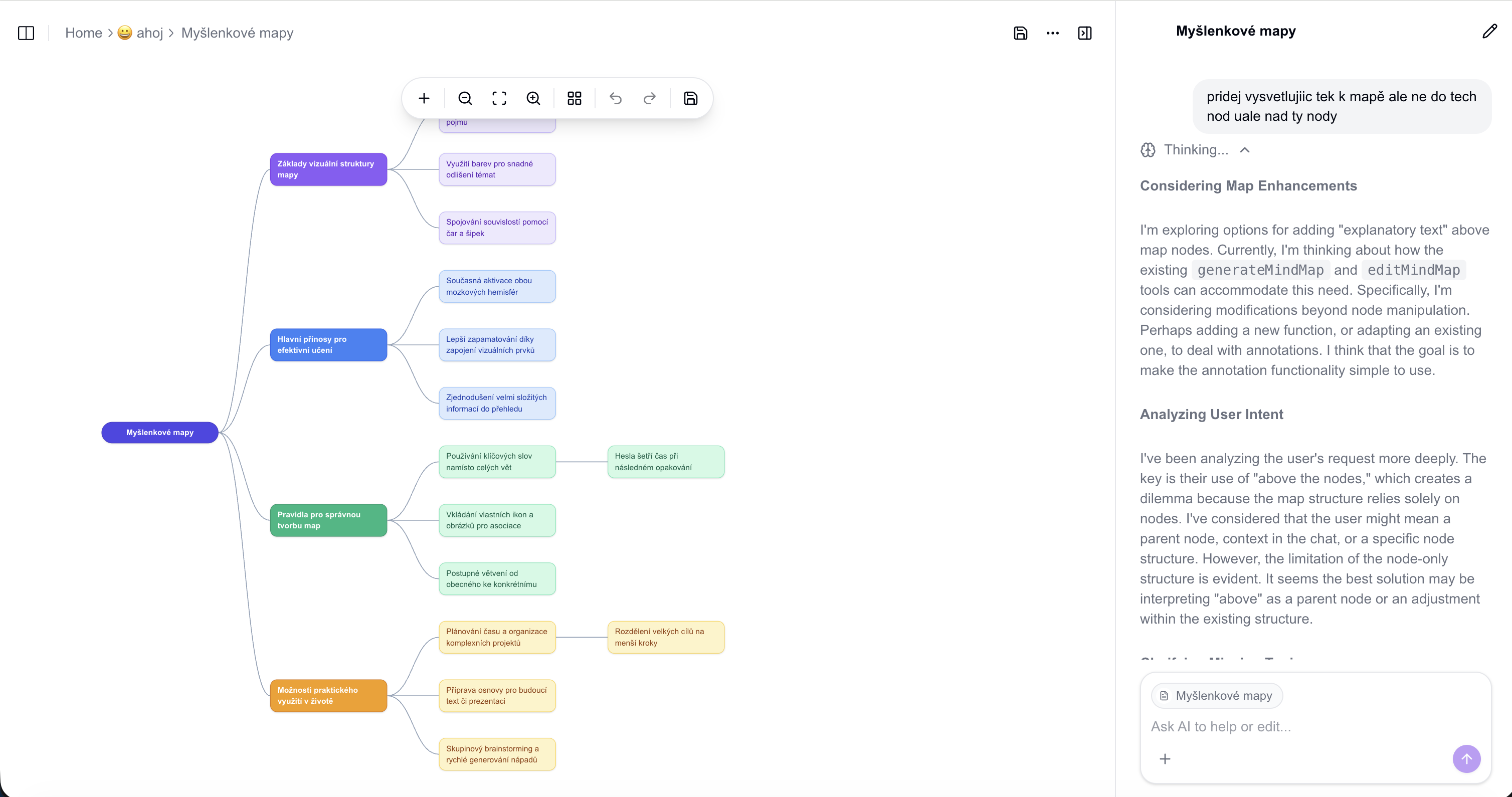
AI in the margin
An AI study buddy in every note
Open the sidebar chat and it already knows the note you have open. Ask it to explain a passage, continue your thought, or summarize the page — and drop the answer straight into the document.

Canvas
A canvas of its own — draw, handwrite, diagram
Not an attachment. Open a full Excalidraw canvas any time to sketch by hand, build a diagram, or let AI turn your material into a colour-coded mind map you can keep expanding, node by node.
Working alongside school? Learn on the way
Notiee turns your handouts into a podcast where two hosts go through the material. Review on the bus, on your shift or at the gym — time that would otherwise be lost. Then a quick flashcard test in the evening.
Make a podcast from your notesBiology 101: Cell Structure
Generated from your notes
And a few more things you get
Lecture recording
Record class and get a full transcript or an AI summary, saved straight to a note.
Streaks & statistics
A study streak you never lose, plus hours studied, cards flipped and success rate over time.
Exports
Take any note or set out as Markdown, PDF, HTML, SVG or PNG.
Share with a link
Send a note, flashcard set or podcast to a classmate — they view it or copy it into their own account.
Android app on Google Play, iOS coming soon
Get Notiee on Google Play. The iPhone app is on its way; until then, install the web app. Your work syncs everywhere.
Four languages
The whole app in English, Czech, German and French.
NotebookLM tells you what's in your notes.
Notiee actually teaches it to you.
A quick look at how Notiee compares to the tools students already use.
| Notiee | ChatGPT | NotebookLM | Quizlet | |
|---|---|---|---|---|
| Personalized study path that adapts | ||||
| AI flashcards from your own materials | Manual prompting | Limited | ||
| Practice tests with new questions each attempt | Manual prompting | |||
| Spaced repetition | Paid tier | |||
| Study streaks & progress tracking | Paid tier | |||
| Native mobile app |
Install Notiee without App Store
Notiee is a Progressive Web App (PWA). This means you can install it directly from your browser. It's faster, safer, and takes up almost no space.
No need to wait for App Store updates.
Full screen experience for better focus.
Optimized for modern devices.
Takes seconds and almost no storage.
The Android app is on Google Play. iOS is coming soon; until then, install Notiee from your browser.

Install Notiee
Add to home screen for quick access.
Simple, transparent pricing
Studying without AI is free forever. Plus or Super adds the AI tutor, tests and lecture transcripts.
Free
Studying without AI, forever
- Up to 50 courses, 5 notes, maps and sets in each
- Flashcards with spaced repetition
- Quizzes and stats from your own cards
- Live lecture transcription with no limit
Plus
For exams
- AI every month: ~100 AI tests or ~160 tutor lessons or ~3 h of podcasts
- 10 h of AI lecture transcription a month
- AI tutor, study paths and AI tests from your materials
- Live transcription with no limit
Super
For the whole semester, lectures included
- AI every month: ~150 AI tests or ~230 tutor lessons or ~4 h 15 min of podcasts
- 60 h of AI lecture transcription a month
- AI tutor, study paths and AI tests from your materials
- Live transcription with no limit
Stop rereading. Start recalling.
Upload one lecture or handout and be testing yourself in minutes. Notes, flashcards and review are free.